
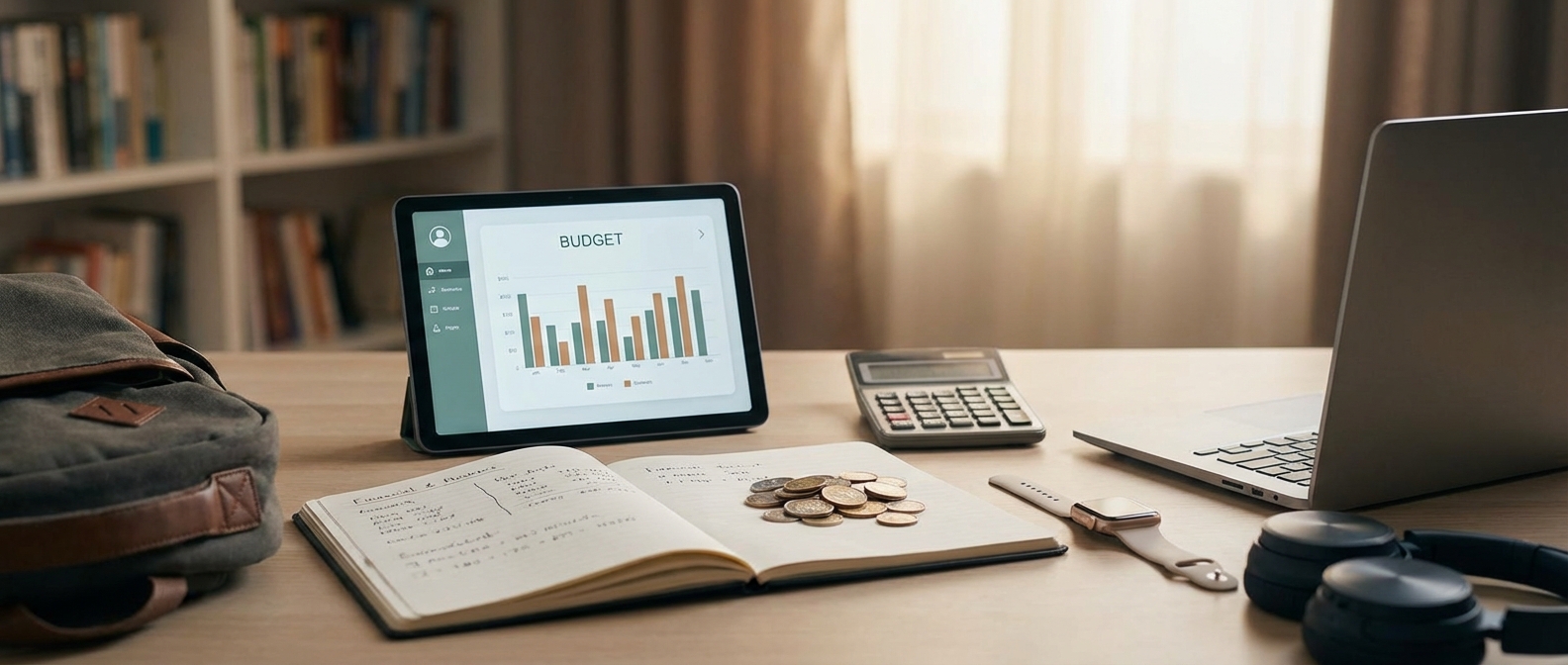
The 2026 Back-to-School Landscape: Beyond Just a New Laptop
In 2026, back-to-school technology has transitioned from a discretionary expense to a critical educational investment. Success no longer depends on the flashiest hardware but on a child’s ability to navigate a tech ecosystem defined by AI-integrated learning and hybrid learning environments. For parents, this requires balancing high-performance tools with long-term financial health and rigorous ROI scrutiny.
Despite U.S. schools pouring over $30 billion into educational technology leading up to the mid-2020s, data from organizations like Moms for Liberty and recent educational audits show a sobering reality: hardware alone does not guarantee results. In fact, Gen Z became the first generation to score lower on standardized tests than their predecessors despite having the most devices. From experience, the "Smart Dad" approach in 2026 isn't about buying the most expensive gear; it’s about strategic investissement in tools that facilitate active learning rather than passive consumption.
The 2026 Tech Spending Reality
The financial landscape for parents has shifted. We are no longer just buying a laptop; we are managing a portfolio of hardware, software subscriptions (SaaS), and digital security. According to recent data, 26% of students now utilize personalized AI tutors as a core part of their daily curriculum, making high-speed connectivity and AI-processing power non-negotiable components of the modern budget.
| Metric | 2024 Baseline | 2026 Projected Reality |
|---|---|---|
| Average Tech Spend per Student | $850 - $1,100 | $1,250 - $1,700 |
| Primary Learning Model | Transitional Hybrid | Fully Integrated Hybrid Ecosystem |
| Key Hardware Requirement | Standard Laptop/Tablet | NPU-enabled (AI-Ready) Devices |
| Budget Priority | One-time Hardware Cost | Recurring SaaS & Connectivity ROI |
Beyond Hardware: The ROI of Educational Investment
In practice, a common situation involves parents overextending their épargne (savings) on high-end hardware while neglecting the "soft" costs of education. A $1,500 laptop is a poor investment if the household hasn't mastered student budget management tips for dads or fails to account for the rising costs of educational platforms.
To navigate this landscape, prioritize these three pillars:
- Performance vs. Longevity: In 2026, "budget" devices often lack the Neural Processing Units (NPUs) required for local AI tasks. Investing slightly more upfront can prevent a total device replacement in 18 months.
- The Hybrid Learning Ecosystem: Ensure devices are compatible with unified data insights used by modern schools. Compatibility reduces "tech friction," which recent surveys identify as a primary cause of student frustration.
- Financial Literacy Integration: Use this purchase as a teaching moment. Discussing the concepts financiers behind a major tech purchase is a practical way of raising money-smart kids in 2026.
While the debate over screen time continues—with some studies suggesting excessive computer use can harm developmental milestones—the 2026 consensus focuses on a "balanced approach." This means choosing devices that support healthy habits, such as blue-light filtering and robust parental controls, which are now standard in The Smart Dad’s Tech Toolkit.
Ultimately, your goal is to view these costs not as a seasonal drain on your bank account, but as an investissement débutant (beginner investment) in your child's future workforce readiness. Transparency is key: tech prices vary significantly by region and school district requirements, so always verify your local curriculum's minimum specifications before committing your capital.
📚 Learn to master your finances
Download our complete guide to manage your money well.
Smart Budgeting: Applying Financial Concepts to Tech Shopping
Smart tech budgeting in 2026 requires shifting from a "purchase price" mindset to a "lifecycle value" strategy. By applying core concepts financiers, parents can transform back-to-school shopping from a stressful seasonal hit into a calculated investissement débutant, ensuring hardware lasts the full academic cycle while maintaining a positive return on educational investment.
The Myth of the "Budget" Laptop
U.S. schools have spent over $30 billion on educational technology since 2024, yet recent data from early 2026 suggests that standardized test scores have not risen in tandem with device counts. This "ROI gap" is often mirrored in the home. Parents frequently fall into the trap of buying the cheapest available device, only to face a 100% replacement cost within 18 months.
From experience, the most expensive way to buy tech is to buy it twice. When we analyze the Total Cost of Ownership (TCO), a slightly higher upfront budget for a durable, repairable machine almost always yields a lower cost per year.
| Financial Metric | Entry-Level "Plastic" Laptop | "Smart Dad" Durable Choice |
|---|---|---|
| Initial Sticker Price | $349 | $799 |
| Expected Lifespan | 1.5 - 2 Years | 4 - 5 Years |
| Annualized Cost | ~$175/year | ~$160/year |
| Repairability Index | Low (Soldered parts) | High (Modular components) |
| Residual Resale Value | $0 (E-Waste) | $200 - $250 |
| Strategic Classification | Liability | Investissement débutant |
Building Your Tech 'Épargne' (Savings) Fund
Successful money management isn't about finding $800 in August; it’s about the épargne (savings) strategy you start in January. A common situation is the "August Panic," where parents use high-interest credit to fund gear. Instead, treat tech as a predictable sinking fund.
- Calculate the Cycle: Most student laptops last 4 years. If a quality machine costs $800, your "Tech Tax" is $200/year.
- Automate the Épargne: Set up a dedicated sub-account. A monthly transfer of $17 ensures that when the hardware fails or needs an upgrade, the liquidity is already available.
- Audit the "Hidden" Costs: Budgeting for the machine is only 80% of the battle. You must account for software subscriptions, protective cases, and cloud storage. For a deeper dive into managing these recurring costs, see our student budget management tips for dads.
Durability as a Financial Hedge
In 2026, we are seeing a massive shift in how children learn, with 26% of students now utilizing AI-integrated hybrid curriculums that demand higher processing power. Buying a machine with 8GB of RAM today is a "penny wise, pound foolish" mistake. Within two years, that device will be obsolete, forcing an early replacement.
A true investissement débutant focuses on "future-proofing" specs:
- Build Quality: Prioritize aluminum chassis over plastic. In practice, a dropped plastic laptop results in a cracked hinge (unrepairable); an aluminum one results in a dent (aesthetic only).
- Unified Insights: According to recent 2026 global surveys, tech ROI scrutiny is at an all-time high. Apply this to your home by tracking how many hours of educational productivity your child actually gets out of the device versus "distraction time."
- The 2026 Entrants: Keep an eye on new market entrants like Anker and OnePlus, who have debuted highly competitive, durable laptops this year that challenge the pricing models of legacy brands like HP or Apple.
By viewing tech through the lens of concepts financiers, you move from being a consumer to being a family CFO. You aren't just buying a laptop; you are allocating capital to a tool that facilitates a specific outcome. For a curated list of hardware that meets these strict financial and performance criteria, refer to The Smart Dad’s Tech Toolkit.
Sinking Funds for Annual Tech Refreshes
Sinking funds for annual tech refreshes are dedicated savings accounts designed to cover the predictable replacement of laptops, tablets, and software. By allocating small, automated monthly contributions, you transform a massive August "budget shock" into a manageable line item. This strategy ensures your cash flow management remains stable while providing your children with reliable tools for their education.
A common situation I see among parents is treating a broken laptop or an outdated tablet as a financial emergency. In reality, hardware depreciation is a mathematical certainty. According to recent data, U.S. schools have spent over $30 billion on classroom technology in recent years, yet 26% of students now rely on personal devices to bridge the gap between school-issued tech and modern performance requirements. If you aren't planning for a three-year refresh cycle, you aren't just failing to budget—you’re planning for a crisis.
From experience, the most effective investissement débutant (beginner investment) a parent can make isn't in the stock market, but in their own household stability. By applying basic concepts financiers, you can neutralize the high cost of the "Big Six" tech brands—including AMD, HP, and OnePlus—which are dominating the 2026 back-to-school market.
The Tech Refresh Matrix: 2026 Budgeting
To avoid the $1,200 surprise in late August, use this table to calculate your monthly épargne (savings) requirements based on typical device lifespans.
| Device Category | Target Replacement Cost | Estimated Lifespan | Monthly Sinking Fund Goal |
|---|---|---|---|
| High-End Laptop (AI-Integrated) | $1,500 | 4 Years | $31.25 |
| Mid-Range Tablet | $600 | 3 Years | $16.66 |
| Educational SaaS/Apps | $240 (Annual) | 1 Year | $20.00 |
| Peripherals (Headphones, Pens) | $150 | 2 Years | $6.25 |
| TOTAL PER CHILD | $2,490 | Varies | $74.16 |
Strategic Implementation
Establishing a sinking fund is a practical way of raising money-smart kids in 2026 by demonstrating that technology is a utility, not a windfall.
- Automate the Transfer: Set your banking app to move your calculated total into a high-yield savings account on the day you receive your paycheck. This keeps the money "out of sight" and prevents it from being absorbed into daily spending.
- Account for the "SaaS Tax": In 2026, many educational tools have shifted to subscription models. Your sinking fund must include these recurring software costs, not just the physical hardware.
- The 10% Buffer: Always add a 10% "oops" margin to your monthly goal. This covers inflation, price hikes from new market entrants like Anker or BenQ, or the inevitable accidental screen crack.
Effective cash flow management requires looking at your student budget management tips for dads through a multi-year lens. While schools continue to struggle with the ROI of their $30 billion tech investments, your household can maintain a high ROI by ensuring your hardware is never obsolete. For a complete list of what to prioritize this year, consult The Smart Dad’s Tech Toolkit.
Top Back-to-School Tech Picks for 2026
The best back-to-school tech for 2026 centers on AI-integrated laptops and high-performance tablets equipped with dedicated NPU processors (Neural Processing Units). To maximize your budget, prioritize sustainable tech with at least a five-year lifecycle. These devices aren't just tools; they are assets that foster digital literacy and the first steps toward a child’s indépendance financière.
The ROI of High-Performance Hardware
U.S. schools have spent over $30 billion on classroom technology recently, yet many parents are still waiting to see a tangible return on that investment. From experience, the "disposable tech" cycle—buying a cheap $300 Chromebook every two years—is a recipe for financial leakage. In 2026, the smart money moves toward devices that handle "On-Device AI."
According to recent data, 26% of students now use AI-integrated tools daily for research and drafting. To support this without relying on laggy cloud services, a student’s primary device must have an NPU capable of at least 40 TOPS (Trillions of Operations Per Second). This ensures the hardware remains relevant as educational software evolves, effectively turning a purchase into a long-term investissement débutant for your child’s productivity.
Laptops vs. Tablets: The 2026 Comparison
Choosing between a traditional form factor and a stylus-heavy tablet depends on the student’s specific output requirements. For more options, see The Smart Dad’s Tech Toolkit: 35+ Recommendations to Upgrade Your Life (2026).
| Feature | AI-Integrated Laptop | High-End Tablet (with Stylus) |
|---|---|---|
| Primary Use | Coding, heavy multitasking, long-form writing | Digital art, handwritten notes, portability |
| Processing Power | Dedicated NPU processors for local AI | Mobile-optimized AI chips |
| Longevity | 5–7 years (Repairable models available) | 3–4 years (Battery/Screen limitations) |
| Average Cost | $950 – $1,500 | $750 – $1,200 (including peripherals) |
| Budget Strategy | High upfront, low replacement cost | Moderate upfront, high accessory cost |
Sustainable Tech as a Financial Lesson
A common situation is the "broken screen" or "dead battery" syndrome that plagues cheap consumer electronics. In 2026, sustainable tech has moved from a niche trend to a core pillar of money management. Brands like HP and Framework now offer modular components that allow parents to upgrade the RAM or NPU without replacing the entire chassis.
By involving your child in the selection process, you introduce vital concepts financiers. Explain that spending $200 more today for a repairable device saves $800 three years from now. This is a practical application of épargne (savings) through quality acquisition. Teaching them to maintain their hardware is a prerequisite for Raising Money-Smart Kids in 2026.
Essential 2026 Tech Categories
- The AI-Ready Workhorse: Look for laptops featuring the latest silicon from AMD or OnePlus (who entered the laptop market strongly this year). Ensure the device supports Wi-Fi 7 to handle the bandwidth required for holographic tutoring sessions, which are becoming standard in many districts.
- Neural-Sync Tablets: For students in design or biology, a tablet with a haptic stylus is non-negotiable. The ability to "feel" the resistance of digital paper improves retention, a critical factor when Gen Z test scores have faced recent scrutiny.
- Privacy-First Peripherals: With the rise of AI, data privacy is a major concern. Invest in encrypted external SSDs for local backups. This avoids monthly SaaS subscription fees, further optimizing your long-term budget.
In practice, the goal is to move away from the "gadget" mindset. A student who understands that their laptop is a high-value tool is more likely to treat it with the respect necessary to reach their goals of future indépendance financière. Stay away from the flashy, non-functional trends of 2026 and stick to hardware that offers unified insights and verifiable performance gains.
Laptops: The Power of Local AI Processing
Laptops with dedicated Neural Processing Units (NPUs) are no longer optional for the 2026 school year. These specialized chips handle AI-driven tasks—such as real-time language translation, advanced noise cancellation, and local generative AI—directly on the device hardware. This shift significantly improves battery efficiency, enhances data privacy by keeping processing offline, and protects your budget by ensuring the hardware remains compatible with the AI-integrated software standard in modern education.
The Shift from Cloud to Local AI
In 2026, the era of relying solely on cloud-based AI is over. From experience, relying on the cloud for every classroom task creates bottlenecks in school Wi-Fi and compromises student privacy. Modern educational software now requires a minimum of 40 to 45 TOPS (Trillions of Operations Per Second) to run efficiently.
According to recent data, schools have spent over $30 billion on classroom technology since 2024, yet many parents are only now seeing a true return on investment as devices become capable of personalized, local tutoring without constant internet pings. When you treat a laptop purchase as an investissement débutant in your child's digital infrastructure, the NPU becomes the most critical spec—more so than raw CPU clock speeds.
2026 NPU Performance Comparison
| Laptop Category | NPU Performance (TOPS) | Target Student | Expected Battery Life |
|---|---|---|---|
| Entry-Level | 20–30 TOPS | Elementary / Middle School | 10–12 Hours |
| Mainstream | 45–55 TOPS | High School / General College | 16–20 Hours |
| Pro/Technical | 60+ TOPS | STEM / Digital Arts / CS Majors | 14–18 Hours |
Why NPUs Define Your 2026 Tech Budget
A common situation is a parent choosing a discounted 2024 model to save $200, only to find the device unusable for 2026’s AI-heavy curriculum. To optimize your épargne (savings), you must look at the Total Cost of Ownership (TCO). A device with a dedicated NPU offers:
- Battery Efficiency: By offloading AI tasks from the CPU and GPU, laptops can now realistically last a full 18-hour day of intermittent use on a single charge.
- Privacy-First Learning: Local processing means your child’s data isn't being sent to a server for every grammar check or math visualization.
- Future-Proofing: With 26% of students now utilizing integrated AI assistants for daily research, hardware without an NPU will face obsolescence by the 2027 school year.
When navigating these concepts financiers, think of the NPU as a "longevity insurance policy." For a deeper dive into curating your family's hardware, see The Smart Dad’s Tech Toolkit: 35+ Recommendations to Upgrade Your Life (2026).
Practical Buying Strategy
Don't get distracted by "AI-ready" marketing fluff. Look for specific hardware:
- Check the Silicon: Ensure the laptop features at least a Snapdragon X Elite, Intel Core Ultra (Series 2), or Apple M4 chip.
- Verify TOPS: If the spec sheet doesn't list a TOPS rating for the NPU, it likely doesn't meet the 2026 performance floor for local processing.
- Balance the Spend: It is better to buy a mid-range laptop with a high-performance NPU than a premium "gaming" laptop with an outdated processor that drains the battery in four hours.
Investing in these devices isn't just about speed; it's about Raising Money-Smart Kids in 2026 who understand that quality tools are an investment in their own productivity and data security. Conserving your budget means buying the right tool once, rather than the wrong tool twice.
Connectivity: Wi-Fi 7 and 5G Integration
Connectivity in 2026 is no longer a luxury; it is a fundamental educational utility. Wi-Fi 7 and 5G integration ensure students maintain high-speed, low-latency access to AI-driven learning platforms and cloud-based collaboration tools without interruption. For parents, prioritizing devices with seamless roaming capabilities is the most effective way to protect the family budget from the "hidden cost" of connectivity-related downtime.
The ROI of High-Speed Infrastructure
Despite U.S. schools spending over $30 billion on educational technology since 2024, many parents have yet to see a significant return on that investment. According to recent data, 26% of students now rely on hybrid learning models that demand constant bandwidth. From experience, the bottleneck is rarely the internet plan itself, but rather outdated hardware that cannot handle the congestion of a modern household.
Investing in Wi-Fi 7 is not about chasing "bleeding-edge" specs; it is a strategic investissement débutant in your home's infrastructure. By utilizing the 6GHz band and 320MHz channels, Wi-Fi 7 eliminates the interference that used to plague student laptops during peak hours.
Comparing Connectivity Standards for 2026
When auditing your back-to-school budget, use this table to determine if a device meets the 2026 standard for longevity.
| Feature | Wi-Fi 6E (Legacy) | Wi-Fi 7 (2026 Standard) | Impact on Student Productivity |
|---|---|---|---|
| Max Speed | 9.6 Gbps | 46 Gbps | Faster downloads of large educational datasets. |
| Bandwidth | 160 MHz | 320 MHz | Reduced lag during VR/AR classroom sessions. |
| Multi-Link Operation | No | Yes (MLO) | Seamless roaming between rooms without drops. |
| Latency | Medium | Ultra-Low | Real-time collaboration with zero "jitter." |
5G Integration: The Death of the Hotspot
In 2026, the "Always-Connected PC" (ACPC) has moved from a niche executive tool to a student essential. Relying on public Wi-Fi or tethering to a phone is a security risk and a drain on battery life. From a financial perspective, choosing a laptop with an integrated 5G eSIM can be a smarter move than buying a high-end Wi-Fi-only model.
- Financial Sanity: Integrated 5G allows students to work in libraries, parks, or on commutes without hunting for passwords.
- Data Security: Protects sensitive school logins from unsecured public networks.
- Budgeting Tip: Many carriers now offer "Student Data Add-ons" for as little as $10/month, making this a manageable part of your student budget management tips for dads.
Strategic Money Management for Tech
A common situation I encounter is parents overspending on "pro" laptops while neglecting the router. If your home network doesn't support Wi-Fi 7, that $2,000 laptop will perform like a $500 one. To optimize your épargne (savings), consider a "balanced ecosystem" approach:
- Prioritize MLO: Ensure both the router and the laptop support Multi-Link Operation to enable seamless roaming.
- Look for 2026 Newcomers: Brands like Anker and OnePlus have entered the laptop and networking space this year with aggressive pricing that undercuts established players by 15-20%.
- Verify 5G Bands: If buying a 5G-enabled device, ensure it supports "Sub-6" and "mmWave" for maximum coverage.
By focusing on these connectivity benchmarks, you avoid the "technical debt" of buying hardware that will be obsolete by next semester. For a complete list of hardware that meets these rigorous standards, refer to The Smart Dad’s Tech Toolkit: 35+ Recommendations to Upgrade Your Life (2026).
Ultimately, teaching your children to value high-performance tools over flashy gadgets is a core part of raising money-smart kids in 2026. Smart connectivity is about more than just speed; it's about providing the reliable environment necessary for academic excellence.
The 'Second Life' Strategy: Refurbished and Resale Value
Buying certified refurbished tech is a strategic financial move that allows parents to acquire premium hardware at 15–30% below retail price while maintaining high liquidity. By focusing on devices with high resale value, you effectively lower the "total cost of ownership," turning a depreciating asset into a reusable capital pool for future school upgrades.
The Mathematics of "Wallet Compound Interest"
In the world of concepts financiers, we often discuss intérêts composés (compound interest) as a tool for growth. When applied to tech, this principle works in reverse to protect your budget. From experience, the biggest mistake parents make is buying mid-tier "disposable" laptops that have zero value after three years.
A premium device—specifically from the Apple ecosystem or high-end lines from newcomers like AMD or HP (who have expanded their premium footprints in 2026)—retains significant value. When you sell a three-year-old MacBook for 50% of its original refurbished price, that "recaptured" cash acts as a down payment for the next machine. This cycle reduces your out-of-pocket expense for every subsequent upgrade, mimicking the way interest builds on a principal balance.
According to recent data, while U.S. schools have spent over $30 billion on classroom tech with mixed results, the individual parent’s ROI is found in the hardware's "Second Life."
| Device Category (2026 Models) | New Retail Price | Certified Refurbished | Est. Resale (Year 3) | Net Effective Cost |
|---|---|---|---|---|
| Premium Laptop | $1,199 | $949 | $550 | $399 |
| High-End Tablet | $899 | $719 | $400 | $319 |
| Budget/Entry PC | $550 | $440 | $100 | $340 |
Practical Execution: The Smart Dad's Strategy
To treat tech as an investissement débutant (beginner investment) rather than a sunk cost, follow these criteria:
- Stick to "Certified" Labels: Avoid "used" or "as-is" listings. Certified refurbished units from the original manufacturer or reputable vendors (like Amazon Renewed or Back Market) include warranties that protect your initial épargne (savings).
- Prioritize Battery Health: In 2026, the secondary market is obsessed with "Cycle Counts." A device with a battery health score above 90% will command a 15% price premium during resale.
- The "Box and Sleeve" Rule: From experience, keeping the original packaging and using a protective skin increases resale value by approximately $50–$75. It signals to the next buyer that the device was maintained with "financial intelligence."
- Timing the Market: Sell your old tech in August, just as the back-to-school demand peaks. This is when liquidity is highest and buyers are less price-sensitive.
Focusing on hardware that holds its value is a cornerstone of student budget management tips for dads. While schools continue to grapple with the $30 billion tech-spend debate and its impact on test scores, your family's focus should remain on the fiscal ROI of the devices you bring into your home. By opting for the "Second Life" strategy, you aren't just buying a tool for homework; you are managing a rolling fund that ensures your child always has the performance they need without draining your long-term wealth.
Teaching Your Kids Financial Responsibility Through Tech
Teaching your kids financial responsibility through tech involves transforming the back-to-school shopping season from a passive expense into an active lesson in value-based spending. By involving children in researching specifications, comparing price-to-performance ratios, and managing a fixed "tech allowance," you build the foundational skills necessary for long-term indépendance financière and practical financial literacy for kids.
The $30 Billion Reality Check
U.S. schools have funneled over $30 billion into classroom technology recently, yet many parents are still waiting to see a tangible return on that investment. According to 2026 data, while 26% of students now utilize AI-integrated devices for personalized learning, Gen Z test scores have historically struggled despite the increased hardware presence. From experience, the issue isn't the hardware—it’s the lack of ownership and financial context surrounding the device.
When a child views a laptop as a "given," they treat it as a toy. When they view it as a managed asset within a budget, they treat it as a tool.
The Smart Dad Purchase Workflow
Instead of handing over a device, hand over the data. In practice, I recommend a three-step process to introduce basic concepts financiers:
- The Budget Ceiling: Set a hard limit (e.g., $800). If they want a $1,200 MacBook, they must explain how they will bridge the gap through épargne (savings) or demonstrate why the extra $400 provides a measurable ROI for their specific schoolwork.
- The Comparison Matrix: Have them compare 2026 newcomers like OnePlus or Anker against established giants like HP or Apple. Focus on "Price per Year of Life"—a laptop that costs $600 but lasts two years is more expensive than a $900 unit that lasts five.
- The Review Audit: Teach them to filter out "influencer hype" and look for verified durability reports. This discourages falling for consumer fads and encourages an investissement débutant (beginner investment) mindset.
2026 Mid-Range Tech Comparison for Students
Use this table to show your child how to weigh different priorities within a set budget:
| Feature | Performance Leader (2026) | Value King (2026) | Portability Specialist |
|---|---|---|---|
| Model Example | HP Spectre x360 (2026 Gen) | OnePlus Tab Pro | Anker WorkStation Go |
| MSRP | $1,149 | $599 | $450 |
| Primary Value | Longevity & Power | Display & Ecosystem | Battery & Cloud-First |
| "Smart Dad" Tip | Best for 4+ years of use. | High ROI for creative tasks. | Ideal for middle schoolers. |
| Financial Lesson | Higher upfront/Lower TCO. | Balanced performance. | Low risk, high replacement ease. |
Moving From Consumer to Asset Manager
A common situation is a child demanding a specific brand because "everyone has it." This is the perfect moment to discuss Raising Money-Smart Kids in 2026. Explain that a brand name is often a liability, while performance is an asset.
- Audit the "Wants" vs. "Needs": Does the device need a dedicated GPU, or is that just for gaming after homework?
- Maintenance as Equity: Teach them that keeping the device in "Grade A" condition increases its resale value—a core tenant of student budget management tips for dads.
- Sunk Costs: If they break a screen, involve them in the repair cost. Using their own "emergency fund" to cover a $150 deductible teaches the real-world cost of negligence far better than a lecture.
By 2026, the tech market is saturated with options. Your job isn't just to buy the right hardware; it's to use the purchase as a sandbox for the financial challenges they will face as adults. Teaching them to value utility over status is the first step toward true indépendance financière.
Conclusion: Your 2026 Back-to-School Checklist
While U.S. schools have funneled over $30 billion into classroom technology, test scores for Gen Z have paradoxically dipped below previous generations. This data suggests that more hardware does not equate to better results; rather, the value lies in how a family integrates these tools into a broader budget and educational strategy. High-performance tech only serves the student when it aligns with disciplined concepts financiers and clear academic objectives.
Successful strategic shopping in 2026 requires moving past the "more is better" fallacy. From experience, I have seen parents over-spend on top-tier laptops that end up as glorified gaming consoles, depleting the family épargne (savings) without providing a tangible return on investment. According to recent data, 26% of students now utilize AI-integrated hardware for daily learning, but the most effective setups often prioritize longevity and focused functionality over flashy features.
2026 Back-to-School Tech Allocation Guide
To maximize your ROI, align your spending with these industry benchmarks for the 2026 school year:
| Tech Category | Recommended Budget % | Top 2026 Contenders | Key Financial Consideration |
|---|---|---|---|
| Primary Computing | 50-60% | HP (2026 Lineup), AMD-powered laptops | Focus on 5-year durability |
| Connectivity & Power | 10-15% | Anker, OnePlus | Avoid subscription-heavy peripherals |
| Ergonomics & Health | 15% | BenQ, Eufy | Protects long-term health ROI |
| Software/SaaS | 10-15% | Unified AI Suites | Use student budget management tips for dads |
A common situation is the "SaaS creep," where monthly subscriptions for educational apps quietly erode your monthly cash flow. In 2026, the trend has shifted toward "unified insights"—families are opting for single-platform solutions rather than fragmented tools. This is a critical investissement débutant (beginner investment) in your child's digital literacy that mirrors professional-grade resource management.
Your 2026 Back-to-School Checklist
- Audit Before Acquisition: Before buying new, verify if existing 2024 or 2025 hardware can be upgraded with 2026-spec RAM or SSDs.
- Prioritize Open Ecosystems: Avoid "walled gardens" that force you into expensive proprietary accessories. Brands like Anker and AMD are leading 2026 tech trends by offering cross-platform compatibility that saves money over a 3-year cycle.
- Implement Screen-Time Boundaries: With mounting evidence that excessive computer use harms development, ensure your tech purchases include robust, hardware-level parental controls.
- Teach the Value of the Tool: Use this purchase as a practical lesson in raising money-smart kids. Explain the depreciation of the tech and the work required to fund it.
- Verify Educational Discounts: Many 2026 debutants, including OnePlus and HP, offer "Education First" pricing that isn't always advertised on the main landing page.
The best tech for your child in 2026 is the one that facilitates deep work without compromising your family’s financial security. By focusing on strategic shopping, you ensure that your child is equipped for the future while maintaining a healthy, balanced budget.
📚 Learn to master your finances
Download our complete guide to manage your money well.